


Die DMX4ALL GmbH ist ein Ingenieurbüro mit dem Produktschwerpunkt der Licht- und Steuerungstechnik basierend auf dem ARTNET,DMX512 und RDM Protokoll.
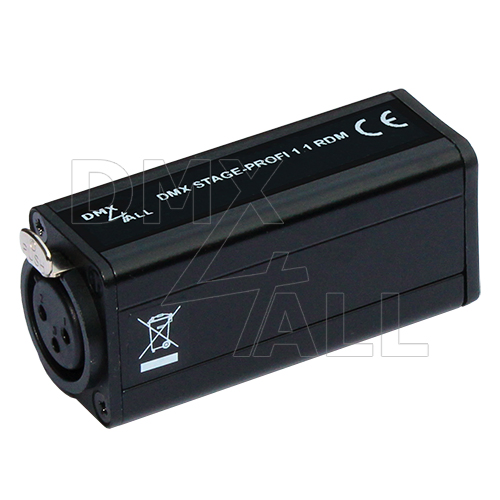
DMX STAGE-PROFI 1.1 RDM



 +221
€221.89
Delivery time: On stock (estimated 1 day)
43 available

The shipping promise only applies to items shown with in the online shop and requires payment via PayPal. Order cut-off for same-day shipping: Mon–Thu until 13:00, except on public holidays.
Opening hours: Mon–Thu 08:00–14:00

- Direct from the manufacturer
- ships within 24 hours, Monday through Thursday
-
 Made in Germany
 Made in Europe
- technical support
Product information "DMX STAGE-PROFI 1.1 RDM"
 DMX STAGE-PROFI 1.1 RDM (XLR3) |
The DMX STAGE-PROFI 1.1 RDM is a compact bidirectional Ethernet Gateway (DMX via Ethernet), which
can be used for Art-Net™ / TPM2 / USB to DMX / sACN to DMX / RDM or DMX to Art-Net™.
Via a standard RJ45 net work connection the connection to ethernet net work occurs.
Switchable DMX direction
The DMX direction can be switched according to usage.
Settable DMX frame rate
In the DMX-OUTPUT mode the DMX frame rate is adjustable, so this interface is compatible to "slow" DMX devices.
RDM via Art-Net™
Supports RDM via Art-Net™ and thus enables connected RDM devices to be configured via Art-Net™ using corresponding software.
Muteable LED display
The LED-Display at the DMX STAGE-PROFI 1.1 RDM is disengageable via Art-Net™-Command (AcLedMute)
or time controlled. This is very helpful to avoid disturbing “light points” on stage.
DHCP
The DMX STAGE-PROFI 1.1 RDM has a DHCP function for automatic addressing in the network.
Internal stand-alone programs
The internal programs make the DMX STAGE-PROFI 1.1 RDM a stand-alone device. The programs can be called
up via the web interface, when the device is switched on, or when Art-Net™ data is missing.
Easy Configuration
A user-friendly configuration via a web browser allows a fast and uncomplicated setting of all parameters.
No special software is required, a normal web browser is sufficient. Thus, the configuration at any time
from your PC, smartphone or tablet device.
DMX-Monitor 
The DMX monitor is available via the web interface. This means that the current DMX values
can be displayed and checked simultaneously without any additional software.
DMX-Fader
The DMX fader is available via the web interface. This allows the DMX values to be output to be set without additional software.
RDM-Editor
The internal RDM editor in the web interface allows you to view the RDM devices
and edit the parameters Device Name, DMX Start Address and Personality.
Easy Network Configuration
For easy setting of the IP-address, we provide the IP Configurator as a PC tool or Android app available for free.
This allows you to leave the network settings unchanged and can easily configure the IP.
High quality and Compact Design
The DMX STAGE-PROFI 1.1 RDM is designed with a 3-pin Neutrik-XLR-Connection metal design and cased in an aluminium housing.
Art-Net™ Merge-Function
Two Art-Net™ sources are output by LTP (Latest) or HTP (Highest) combined to the DMX output.
Combinable with WiFi components
In combination with a WLAN bridge the DMX STAGE-PROFI 1.1 RDM can also be integrated into WLAN net works.
Firmware update function
To use future functions the DMX STAGE-PROFI 1.1 RDM offers a Firmware-Update-Function.
This can be started with any web browser, so no direct access to the device is necessary!
DMX4ALL Communication-Interface
The DMX STAGE-PROFI 1.1 RDM has an additional communication interface using the DMX4ALL-Commands via TCP or UDP packages. Art-Net ™ Designed by and Copyright Artistic Licence Holdings Ltd.

Verantwortliche Person für die EU
In der EU ansässiger Wirtschaftsbeteiligter, der sicherstellt, dass das Produkt den erforderlichen Vorschriften entspricht:
DMX4ALL GmbH
Reiterweg 2A
44869 Bochum
Germany
WEEE DE37841650
+49 2327 2204600
kontakt@dmx4all.de
| Specifications |
| Power supply: | 5V DC via attached external power supply |
| Connection: | RJ45 Ethernet |
| USB Mini-B | |
| Neutrik® XLR3 | |
| Ethernet: | 10 Mbit/s | 100 Mbit/s |
| DMX: | Selectable: |
| - 512 channels OUT | |
| - 512 channels IN | |
| DMX-Framerate: | Adjustable (5 - 44 fps) |
| RDM: | RDM via Art-Net™ (switchable on/off) |
| ArtDmx Fail: | HOLD last data |
| (DMX-OUT) | |
| CLEAR all to 0% | |
| SET all to 100% | |
| NO OUTPUT | |
| DEFAULT VALUES | |
| INTERNAL PROGRAM | |
| DMX Fail: | HOLD last data |
| (DMX-IN) | CLEAR all to 0% |
| SET all to 100% | |
| NO OUTPUT | |
| DEFAULT VALUES | |
| Protocol: | Art-Net™ (downwards compatiblel) |
| Ethernet-VCP (Virtual COM Port) | |
| USB-VCP (Virtual COM Port) | |
| TPM2 | |
| sACN (Unicast) | |
| DMX4ALL-Commands via TCP, UDP, VCP | |
| Internal program: | User-configurable stand-alone program |
| Status LED: | Green: Ethernet Connection |
| Yellow: Datatransfer | |
| Dimensions: | 75mm x 26mm x 35 mm |
| Produkt Downloads |
| Software & Tools |
 Warnung
Achtung, alle Installations-, Service- und Wartungsarbeiten dürfen nur von qualifiziertem Fachpersonal ausgeführt werden.
Achtung, das Gerät ist kein Spielzeug und darf nicht in die Hände von Kindern gelangen.
EntsorgungElektrische und elektronische Produkte dürfen nicht in den Hausmüll. Das Produkt ist am Ende seiner Lebensdauer gemäß den geltenden gesetzlichen Vorschriften und den örtlichen Bedingungen zu entsorgen
We recommend the following for this product:
+22 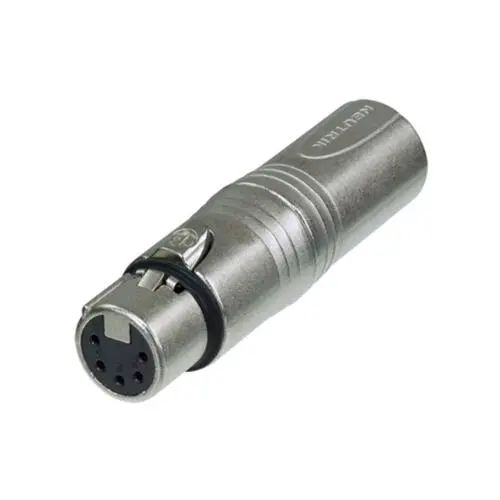
Neutrik NA3M5F3 pole XLR male - 5 pole XLR female for lighting (DMX) applicationsFeatures & Benefits- Compact XLR 3 to 5 pole adapter for lighting (DMX) applications- Solve interconnection problems of the 3-pole and 5-pole DMX standard- Professional look and compact space saving design, based on the XX Series- Rugged diecast shell for best reliabilityTo use with: - ArtNet-DMX STAGE-PROFI 1.1- ArtNet-DMX UNIVERSE 4.1- NanoDMX USB-Interface[TAB:Specifications] Specifications Manufactor:NEUTRIK Title:NA3M5F Connection Type:Adapter
Expected 6-10 days
+16 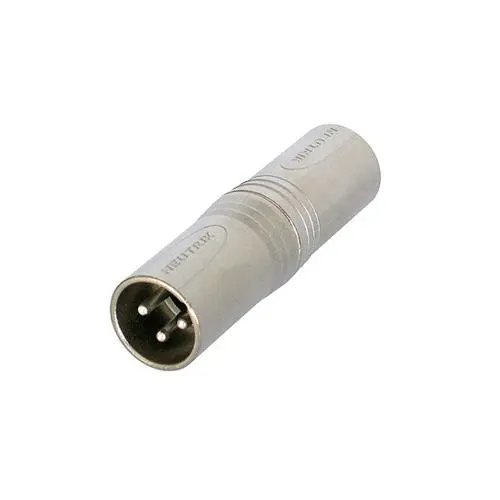
Neutrik NA3MM3 pole XLR male - 3 pole XLR male (gender conversion adapter) Features & Benefits- Versatile, pre-wired and ready to use adapters to reliably interlock various connector systems- Professional look and compact space saving design, based on the XX Series- Rugged diecast shell for best reliabilityTo use with: - ArtNet-DMX STAGE-PROFI 1.1 (using DMX-INPUT mode) Specifications Manufactor:NEUTRIK Title:NA3MM Connection Type:Adapter
Delivery time: On stock (estimated 1 day)
+8 
Hicon HI-X3X5-MFHICON Adapter | XLR 3-pin male/XLR 5-pin female, blackTo use with: - ArtNet-DMX STAGE-PROFI 1.1- ArtNet-DMX UNIVERSE 4.1- NanoDMX USB-Interface Specifications Manufactor:HICON Title:HI-X3X5-MF Connection Type:Adapter
Delivery time: On stock (estimated 1 day)
+8 
Hicon HI-X3X3-MMHICON Adapter | XLR 3-pin male, blackTo use with:- ArtNet-DMX STAGE-PROFI 1.1 (using DMX-INPUT mode) Specifications Manufactor:HICON Title:HI-X3X3-MM Connection Type:Adapter
Delivery time: On stock (estimated 1 day)
+15 
HICON SGHN-0100-SW XLR-Kabel 1m 3polSommer Cable SGHN-0100-SWThe Stage 22 Highflex is a high-quality, very reasonably priced cable with awire gauge of 2 x 0,22 mm² (AWG 24) and a 6.4 mm thick supersoft PVC jacket.It is filled with PVC almost all the way to the core and allows for excellent reeling.We supply it with HICON HI-X3CM or HI-X3CF XLR connectors, with a 6-fold strain relief.- Outside diameter 6,4 mm, 2x 0,12 mm²- 1 XLR-plug 3pin to 1 XLR-jack 3pin- Length: 1 m Specifications Length:1m Manufactor:Sommer cable Partnumber:SGHN-0100-SW Name:Stage 22 Highflex Inner conductor:2x 0,22 mm² Connector:HICON Type:XLR 3-pol female / XLR 3-pol male
Delivery time: On stock (estimated 1 day)
+19 
HICON SGHN-0500-SW XLR-Kabel 5m 3polSommer Cable SGHN-0500-SWThe Stage 22 Highflex is a high-quality, very reasonably priced cable with awire gauge of 2 x 0,22 mm² (AWG 24) and a 6.4 mm thick supersoft PVC jacket.It is filled with PVC almost all the way to the core and allows for excellent reeling.We supply it with HICON HI-X3CM or HI-X3CF XLR connectors, with a 6-fold strain relief.- Outside diameter 6,4 mm, 2x 0,12 mm²- 1 XLR-plug 3pin to 1 XLR-jack 3pin- Length: 5 m Specifications Length:5m Manufactor:Sommer cable Partnumber:SGHN-0500-SW Name:Stage 22 Highflex Inner conductor:2x 0,22 mm² Connector:HICON Type:XLR 3-pol female / XLR 3-pol male
Delivery time: On stock (estimated 1 day)
+9 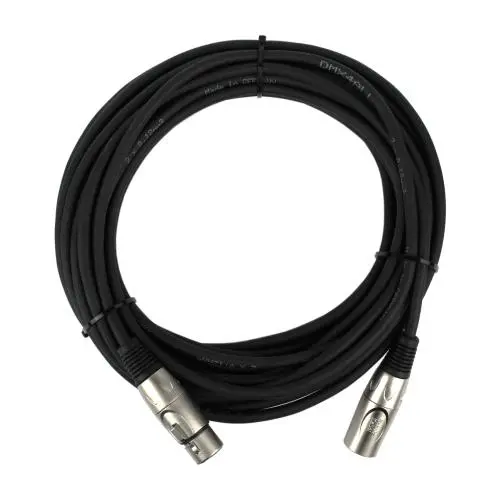
XLR-Kabel 10m 3polMicrophone and symmetric connecting cable- 2 cores shielded SCHULZ Kabel MK 6- Braided shield- Outside diameter 6 mm, 2 x 0,12 mm²- 1 XLR-plug to 1 XLR-jack- Length: 10 m Specifications Length:10m Manufactor:DMX4ALL Cable:SCHULZ Kabel MK 6 Connector:SCHULZ Type:XLR 3-pol female / XLR 3-pol male
Delivery time: On stock (estimated 1 day)
+11 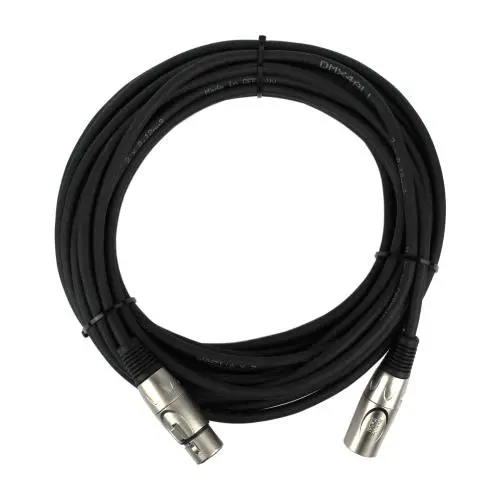
XLR-Kabel 15m 3polMicrophone and symmetric connecting cable- 2 cores shielded SCHULZ Kabel MK 6- Braided shield- Outside diameter 6 mm, 2 x 0,12 mm²- 1 XLR-plug to 1 XLR-jack- Length: 15 m Specifications Length:15m Manufactor:DMX4ALL Cable:SCHULZ Kabel MK 6 Connector:SCHULZ Type:XLR 3-pol female / XLR 3-pol male
Delivery time: On stock (estimated 1 day)
You might also be interested in:
+113 
DMX-LED-Dimmer X9The DMX-LED-Dimmer X9 is especially designed for controlling RGB LED-Stripes.The dimmer has 9 PWM-Outputs (3xRGB) independently controllable via DMX.9 OutputsThe DMX-LED-Dimmer X9 has 9 outputs to which LEDs can be connected.All outputs are designed in the same way so single color, RGB or RGBW LEDs can be connected.High Power OutputsThe outputs can drive a current up to 10A.So it is possible to connect a maximum load of 120W (12V) / 240W (24V)0% bis 100% dimmableThe connected LEDs are dimmed by PWM from 0% to 100%.For voltages from 12V up to 24VThe DMX-LED-Dimmer X9 operates with supply voltages from 12V up to 24V. The LED voltage canbe different per output so that one DMX-LED-Dimmer X9 can control different LED systems.DMX-FAIL FunctionAn adjustable DMX FAIL function offers the option to get in case of lostDMX signal the current state (HOLD) or assuming a preset value.RDM supportThe DMX-LED-Dimmer X9 allows configuration by RDM via DMX.LED-State DisplayThe DMX state is indicated via the LED status.Stand-Alone FunctionAs an alternative to DMX control, internal color sequences can be called upvia the address switch without external DMX control.Top hat rail housing availableThe top-hat rail housing 1050 is available as accessory for the DMX-LED-Dimmer X9. Specifications Power supply:7-24V DC 80mA@12V / 100mA@24V (without connected LED load) LED voltage:7-24V DC (no AC voltage !) Protocol:DMX512 RDM DMX channels:9 channels with 8Bit-controlling DMX-FAIL:Hold / 0%-100% Output:9 PWM-signal with 8Bit-resolution Common supply voltage Output current:max. 10A each output In sum 90A with all GND connections Output power:9x 120W (12V) / 9x 240W (24V) PWM-Frequency:244 Hz Energy-Save output:Control output for switching off the load power supply units StandAlone function:9 internal StandAlone programs Connections:Screw terminals Dimensions:99mm x 82 mm Product DownloadsDMX-LED-Dimmer X9Bedienungsanleitung DMX-LED-Dimmer X9User Manual Software & ToolsDMX4ALL Software PackDMX / RDM / IP ConfiguratorWindows 32 & 64bit
Delivery time: On stock (estimated 1 day)
+158 
DMX-LED-Dimmer X9HRThe DMX-LED-Dimmer X9HR is especially designed for controlling RGB LED-Stripes.The dimmer has 9 High-Resolution PWM-Outputs (3xRGB) independently controllable via DMX.9 OutputsThe DMX-LED-Dimmer X9HR has 9 outputs to which LEDs can be connected.All outputs are designed in the same way so single color, RGB or RGBW LEDs can be connected.High Power OutputsThe outputs can drive a current up to 10A.So it is possible to connect a maximum load of 120W (12V) / 240W (24V)0% bis 100% dimmableThe connected LEDs are dimmed by PWM from 0% to 100%.For voltages from 12V up to 24VThe DMX-LED-Dimmer X9HR operates with supply voltages from 12V up to 24V. The LED voltage canbe different per output so that one DMX-LED-Dimmer X9HR can control different LED systems.DMX-FAIL FunctionAn adjustable DMX FAIL function offers the option to get in case of lostDMX signal the current state (HOLD) or assuming a preset value.DMX-Master DimmerOptionally, another DMX channel can be activated as Master Dimmer (all outputs)or one master dimmer per RGB group. The global master dimmer is fixed atDMX address 1 and can be used as system master dimmer.Adjustable dimming curveThe dimming curves can be configured individually for each output.RDM supportThe DMX-LED-Dimmer X9HR allows configuration by RDM via DMX.SubDevice-ModeIn SubDevice mode, each output is assigned its own DMX address and DMX FAIL behavior via RDM.LED-State DisplayThe DMX state is indicated via the LED status.Firmware-Update-FunctionTo use future functions, the DMX-LED-Dimmer X9HR offers a firmware update function.Top hat rail housing availableThe top-hat rail housing 1050 is available as accessory for the DMX-LED-Dimmer X9HR. Specifications Power supply:7-24V DC 80mA@12V / 100mA@24V (without load) LED voltage:7-24V DC (no AC voltage !) Protocol:DMX512 RDM DMX channels:9 channels with 8Bit-Mode 18 channels with 16Bit-Mode + optional Master-Dimmer-Channels Masterdimmer:None / Global / RGB / System DMX-FAIL:Hold / 0%-100% 8bit ModePWM-Frequency 488 Hz with LookUp-Table 2 kHz or 4 kHz without LookUp-Table 16bit ModePWM-Frequency 488 Hz without LookUp-Table Output:9 PWM-signal common supply voltage anode (PLUS) Output current:max. 10A each output In sum 90A with all GND connections Output power:9x 120W (12V) / 9x 240W (24V) Energy-Save output:Control output for switching off the load power supply units StandAlone function:9 internal StandAlone programs Connections:Screw terminals Dimensions:99mm x 82 mm Produkt DownloadsDMX-LED-Dimmer X9HRBedienungsanleitung DMX-LED-Dimmer X9HRUser Manual DMX-LED-Dimmer X9HRUSB Driver (ab V2.2)Version 6.0.0.0 DMX-LED-Dimmer X9HRFirmware (ab V2.2) Software & ToolsDMX4ALL Software PackDMX / RDM / IP ConfiguratorWindows 32 & 64bit
Delivery time: On stock (estimated 1 day)
+114 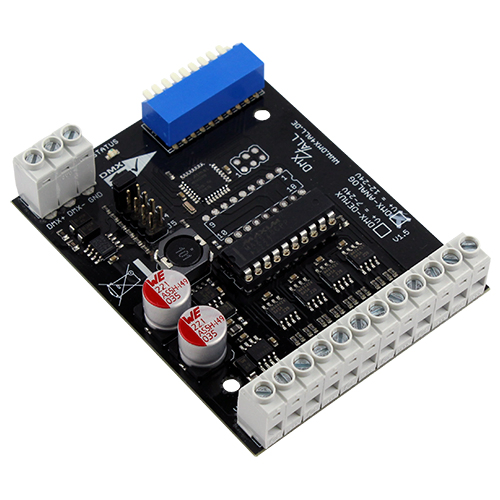
DMX-Analog 0-10V 8-KanalThe DMX 0-10V Interface is especially designed to switch not-DMX-suitable devices with an analog input.On the output 8 analog signals with 0-10V output voltage are available.Each output is controllable via a DMX-channel and divided in 256 steps.A output driver on each channel allows loads up to 10mA. Specifications Power supply:12-24V DC Current consumption:50mA@12V; 40mA@24V (without connected load) Protocol:DMX512 RDM DMX channels:8 channels DMX-FAILHold / 0-100% Output:8 outputs with driver each max. 10mA Resolution:256 steps (8-Bit), linear Connections:screw terminals Dimensions:64mm x 82 mm Product DownloadsDMX-Analog 0-10V 8-KanalBedienungsanleitung DMX-Analog 0-10V 8 channelUser Manual
Delivery time: On stock (estimated 1 day)
+182 
DMX-Relais/Analog 4The DMX-Relais/Analog 4 is designed for switching loads of several kinds.Four potential free contacts with up to 8A switching power are available.Additional four analog outputs with 0-10V or 1-10V can be used to control systems with analog inputs.This relay outputs are suitable for switching DC or AC voltage.A DMX FAIL function hold the relays and analog states unchanged or switch off at a loss of DMX signal. Specifications Power supply:12-24V DC / 250mA Input:4 up to 12 DMX-channels Output:4 switching contacts (close) each max. 8A / 250V~ (165A/20ms Switch-on peak current) 4x analog output 0-10V / 1-10V DMX-FAIL:Hold / Off Connectors:screw terminals Dimensions:99 x 82mm Product DownloadsDMX-Relais/Analog 4Bedienungsanleitung DMX-Relais/Analog 4User Manual
Delivery time: On stock (estimated 1 day)
Tools & Equipment:
+59 
5 Port Ethernet Switch NS200The unmanaged Industrial Ethernet switches from LogiLink are particularly suitablefor use in harsh environments thanks to the extended temperature range of -40°C to 80°C.These robust and compact devices enable the connection of several end devices.Due to their flexibility and simplicity, these switches are not only suitable for industrial applications.- Industrial switch, 5-port, 10/100Base-TX RJ45- Unmanaged, easy installation, plug-and-play- Compact and rugged metal housing, IP40- Free fall, shock and vibration stability- Power input: 12 to 52 V DC redundant power- Suitable for DIN-rail mounting- Extended operation temperature: -40 °C - +80 °C
Delivery time: On stock (estimated 1 day)
+28 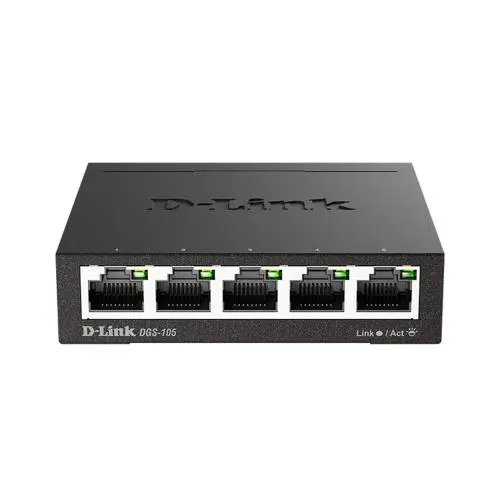
5 Port Gigabit Ethernet Switch DGS-105The DGS-105 5-Port Gigabit Unmanaged Desktop Switch offers an economical way for SOHO and small and mediumbusinesses to benefit from the increased bandwidth of Gigabit Ethernet.It provides five Gigabit ports for easy expansion of your network and a quick way to upgrade your network to Gigabit connectivity.- 5x Gigabit Ethernet ports- Plug & play for instant connectivity
Delivery time: On stock (estimated 1 day)
+37 
8 Port Gigabit Ethernet Switch DGS-108The DGS-108 8-Port Gigabit Unmanaged Desktop Switch offers an economical way for SOHO and small and medium businessesto benefit from the increased bandwidth of Gigabit Ethernet.It provides eight Gigabit ports for easy expansion of your network and a quick way to upgrade your network to Gigabit connectivity.- 8x Gigabit Ethernet ports- Plug & play for instant connectivity
Delivery time: On stock (estimated 1 day)
Power supply:
+8 
Steckernetzteil 5V/1,5A Mini-USB- Plug-in switching power supply with europlug- Universal input- Protections: short circuit/over load- Insulation Class II- Low no load power consumption- Meets DOE VI- Manufactor: HN-ELECTRONIC- Manufactor order code: HNP06-MINIUSBL6 Specifications Output voltage:5V Output current, max:1,5A (0...1,5A) Input Voltage:90...264V AC (47...63Hz) Input Inrush Current, Max.:30A No Load Power Consumption, Max.:0,075W Operating Temperature:-10...+40°C Cable Length:1,5m Output Plug:Mini-USB Produkt DownloadsHNP06-MINIUSBL6Datasheet
Delivery time: On stock (estimated 1 day)
Software:
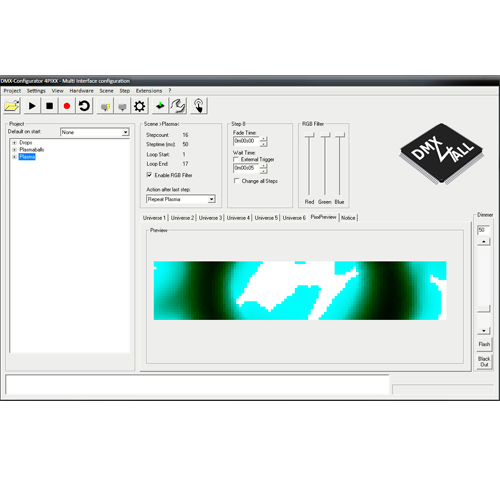
DMX-Configurator FREE-Version (DOWNLOAD ONLY)The controlling software DMX-Configurator represents a user friendly surface to create light scenes (programs). Up to 8 DMX-universes can be used which can be represented as pixel-matrix.A live operation with a connected DMX4ALL DMX- or Pixel-Interfaces will be possible as well as an export to DMX4ALL DMX-Player and SD-Card-Player. All in all, in many areas an application will be possible.The FREE-Version is available as download for free and has the following functions.Range of function:1 DMX OUT universeArtNet SupportCue-ListRecord FunctionArtNet Sync RecordingLoop Find FunctionDevice Manager to create LED-Pixel screensPreview for LED-Pixel screensRemote Manager (MIDI / TIMER / DMX)Secutity functions: Password protected programming fileExport/Import of scenesExport/Import of stepsExport for SD-Player 8 / ArtNet-Player X / DMX-Player L MK2Limits of FREE-Version:Multi Interface Support with 16 DMX universes can be used with up to 2 scenesTOUCH-Mode (Time limited)No secutity functionsNo hardware secutity functionsSpecifications Operating system:Windows® 7, Windows® 8 Software-Updates:Available as download Produkt DownloadsDMX-ConfiguratorWindows 32 & 64bit DMX-Configurator V2Bedienungsanleitung DMX-Configurator V2User Manual Application NotesAufnahme von Art-NetAppNote Importieren von Jinx! SzenenAppNote Aufnahme eines DMX SignalsAppNote
Currently not available
+299 
DMX-Configurator PRO-VersionThe controlling software DMX-Configurator represents a user friendly surface to create light scenes (programs). Up to 16 DMX-universes can be used which can be represented as pixel-matrix. A live operationwith a connected DMX4ALL DMX- or Pixel-Interfaces will be possible as well as an export toDMX-Player and SD-Card-Player. All in all, in many areas an application will be possible. The BASIC-Version use a USB-Dongle needing a free USB-slot. The Dongle can be used on several computer and is easy usable for service tasks. Range of functions:16 DMX OUT + 16 DMX-IN universesMulti Interface SupportCuelistArtNet SupportRecord FunctionArtNet Sync RecordingLoop Find FunctionDevice Manager to generate LED-Pixel for lines and screensPreview for LED-Pixel for lines and screensTOUCH-ModeRemote Manager (MIDI / TIMER / DMX)Export/Import of scenesExport/Import of stepsExport for AvengerSD / NanoSD Player / ArtNet-Player 4 / ArtNet MultiPixxPlyer 16 / DMX-Player S/L/ONESecurity functions: Optional password for programming fileHardware secutity functions: Program execution can be limited by using the hardware serial number Important InformationPlease note that the software is excluded from change and return ! ArtNet Player 4 Operating system:Windows® PC-connections:USB 1.1 / USB 2.0 Scope of delivery:USB-Dongle with PRO-Licence DMX4ALL lanyard with dongle holder Software-Updates:Available as download Produkt DownloadsDMX-ConfiguratorWindows 32 & 64bit DMX-Configurator V2Bedienungsanleitung DMX-Configurator V2User Manual DMX-Configurator PRO-VersionUSB Driver Application NotesAufnahme von Art-NetAppNote Importieren von Jinx! SzenenAppNote Aufnahme eines DMX SignalsAppNote
Delivery time: On stock (estimated 1 day)
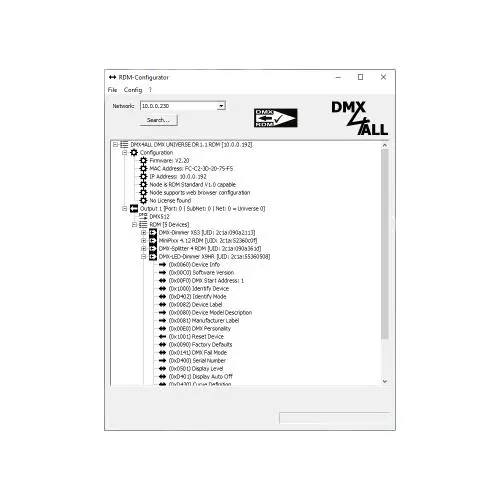
RDM-Configurator FREE-Version (DOWNLOAD ONLY)The RDM Configurator software is a PC-based configuration software for RDM devices.The RDM Configurator is a software that allows you to configure RDM-capable devices.RDM stands for Remote Device Management and enables bidirectional communication betweenconnected RDM-enabled devices.Settings for RDM devices (e.g., start address) can be configured remotely via RDM withoutdirect access to the device. An RDM-capable Art-Net™ RDM gateway is required to use RDM.Once the RDM device is in the system, the unique UID allows device-specific settingsto be configured remotely via RDM command. Direct access to the device is not necessary.Depending on the RDM device used, the properties that can be set via RDM vary.Functionality:Clear user interfaceMulti Art-Net™-Gateway supportArt-Net™-Gateway configurationMulti DMX/RDM-Port supportUser-friendly plain text RDM parameter settingRDM DiscoverRDM GET-ParameterRDM SET-ParameterDMX4ALL MSC-Parameter (Manufacturer Specific Command)RDM SubDevice-SupportRDM Sensor-SupportDMX-Fader PanelDMX-MonitorSaving RDM parameters to configuration fileFREE version restrictions:RDM SET parameters for non-DMX4ALL RDM devicesRestoring RDM parameters via configuration fileAutoRefresh of the RDM sensorsFastDMX-AddressingFor the limited functions (setting parameters in non-DMX4ALL-RDM devices)an optionally available license is required.The license requires a DMX4ALL RDM gateway on which the license key is stored.RDM-Configurator Operating system:Windows® Software-Updates:Available as download Produkt DownloadsRDM-ConfiguratorBedienungsanleitung RDM-ConfiguratorUser Manual RDM-ConfiguratorSoftware
Delivery time: Download (no shipping)
+58 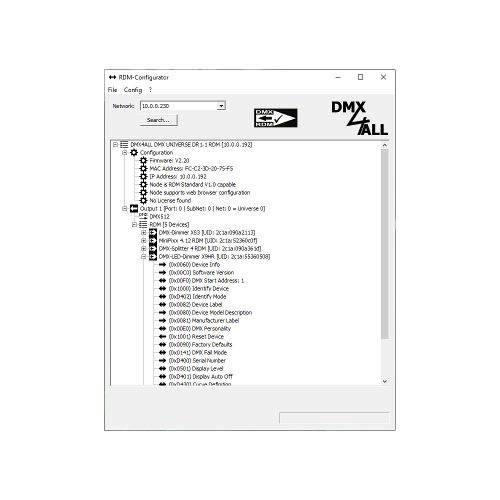
RDM-Configurator Monthly License A DMX4ALL RDM gateway is required for the license; the license key is stored on it.The following RDM gateways are suitable:DMX UNIVERSE DR1.1 RDMDMX UNIVERSE DR6 RDMDMX UNIVERSE DR6 RDM+DMX STAGE-PROFI 1.1 RDM (XLR3)DMX STAGE-PROFI 1.1 RDM (XLR5)DMX STAGE-PROFI 1.1 PoE (XLR3)DMX STAGE-PROFI 1.1 PoE (XLR5)DMX TwinPOE AP RDMImportant: For rapid processing, please include the device's MAC address in the comments section during checkout!The RDM Configurator software is a PC-based configuration software for RDM devices.The RDM Configurator is a software that allows you to configure RDM-capable devices.RDM stands for Remote Device Management and enables bidirectional communication betweenconnected RDM-enabled devices.Settings for RDM devices (e.g., start address) can be configured remotely via RDM withoutdirect access to the device. An RDM-capable Art-Net™ RDM gateway is required to use RDM.Once the RDM device is in the system, the unique UID allows device-specific settingsto be configured remotely via RDM command. Direct access to the device is not necessary.Depending on the RDM device used, the properties that can be set via RDM vary.Functionality:Clear user interfaceMulti Art-Net™-Gateway supportArt-Net™-Gateway configurationMulti DMX/RDM-Port supportUser-friendly plain text RDM parameter settingRDM DiscoverRDM GET-ParameterRDM SET-ParameterDMX4ALL MSC-Parameter (Manufacturer Specific Command)RDM SubDevice-SupportRDM Sensor-SupportDMX-Fader PanelDMX-MonitorSaving RDM parameters to configuration fileAdditional features with license:RDM SET parameters for non-DMX4ALL RDM devicesRestoring RDM parameters via configuration fileAutoRefresh of the RDM sensorsFastDMX-AddressingFor the limited functions (setting parameters in non-DMX4ALL-RDM devices)an optionally available license is required.RDM-Configurator Operating system:Windows® Software-Updates:Available as download Produkt DownloadsRDM-ConfiguratorBedienungsanleitung RDM-ConfiguratorUser Manual RDM-ConfiguratorSoftware
+236 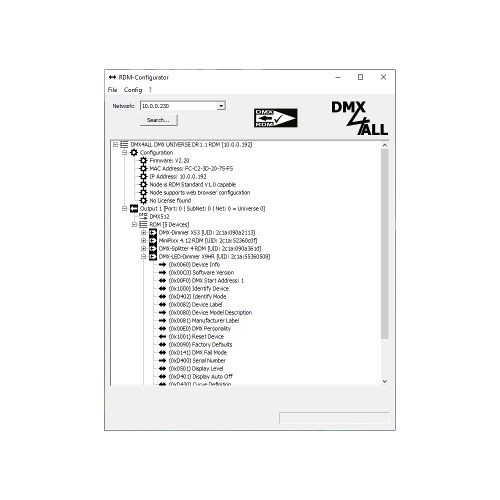
RDM-Configurator A DMX4ALL RDM gateway is required for the license; the license key is stored on it.The following RDM gateways are suitable:DMX UNIVERSE DR1.1 RDMDMX UNIVERSE DR6 RDMDMX UNIVERSE DR6 RDM+DMX STAGE-PROFI 1.1 RDM (XLR3)DMX STAGE-PROFI 1.1 RDM (XLR5)DMX STAGE-PROFI 1.1 PoE (XLR3)DMX STAGE-PROFI 1.1 PoE (XLR5)DMX TwinPOE AP RDMImportant: For rapid processing, please include the device's MAC address in the comments section during checkout!The RDM Configurator software is a PC-based configuration software for RDM devices.The RDM Configurator is a software that allows you to configure RDM-capable devices.RDM stands for Remote Device Management and enables bidirectional communication betweenconnected RDM-enabled devices.Settings for RDM devices (e.g., start address) can be configured remotely via RDM withoutdirect access to the device. An RDM-capable Art-Net™ RDM gateway is required to use RDM.Once the RDM device is in the system, the unique UID allows device-specific settingsto be configured remotely via RDM command. Direct access to the device is not necessary.Depending on the RDM device used, the properties that can be set via RDM vary.Functionality:Clear user interfaceMulti Art-Net™-Gateway supportArt-Net™-Gateway configurationMulti DMX/RDM-Port supportUser-friendly plain text RDM parameter settingRDM DiscoverRDM GET-ParameterRDM SET-ParameterDMX4ALL MSC-Parameter (Manufacturer Specific Command)RDM SubDevice-SupportRDM Sensor-SupportDMX-Fader PanelDMX-MonitorSaving RDM parameters to configuration fileAdditional features with license:RDM SET parameters for non-DMX4ALL RDM devicesRestoring RDM parameters via configuration fileAutoRefresh of the RDM sensorsFastDMX-AddressingFor the limited functions (setting parameters in non-DMX4ALL-RDM devices)an optionally available license is required.RDM-Configurator Operating system:Windows® Software-Updates:Available as download Produkt DownloadsRDM-ConfiguratorBedienungsanleitung RDM-ConfiguratorUser Manual RDM-ConfiguratorSoftware
Alternative:
+182 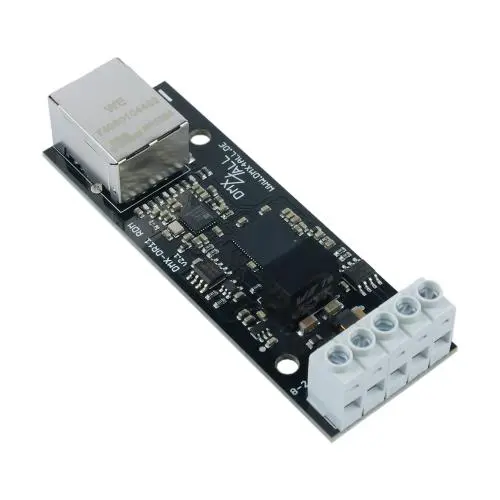
DMX UNIVERSE DR1.1 RDMThe DMX UNIVERSE DR1.1 RDM is a compact bidirectional Ethernet Gateway whichcan be used for Art-Net™/TPM2/sACN to DMX/RDM or DMX to Art-Net™.With a standard RJ45 network connector the connection to the ArtNet is made.DMX direction selectableThe DMX direction can be switched depending on use.Adjustable DMX-FramerateIn DMX OUTPUT mode, the DMX framerate is adjustable so that this interface is compatible with "slow" DMX devices.RDM via Art-Net™Supports RDM via Art-Net™, which enables connected RDM devices to be configured via Art-Net™ with the appropriate software.Free RDM-SoftwareTo set parameters via RDM our free software RDM-Configurator is available as download on our website www.dmx4all.de .Muteable LED indicatorThe LED indicators on the DMX UNIVERSE DR1.1 RDM are muteable by Art-Net™ command (AcLedMute) or time-controlled.This is helpful to disturbing "points of light" especially on stages.DHCPThe DMX UNIVERSE DR1.1 RDM has a DHCP function for automatic addressing in the network.Internal stand-alone programsThe internal programs make the DMX UNIVERSE DR1.1 RDM a stand-alone device. The programs can be calledup via the web interface, when the device is switched on, or when Art-Net™ data is missing.Easy Webbrowser-ConfigurationA user-friendly configuration via a web browser allows a fast and uncomplicated setting of all parameters.No special software is required, a normal web browser is sufficient. Thus, the configuration at any timefrom your PC, smartphone or tablet device.DMX-Monitor The DMX monitor is available via the web interface. This means that the current DMX valuescan be displayed and checked simultaneously without any additional software.DMX-Fader The DMX fader is available via the web interface. This allows the DMX values to be output to be set without additional software.RDM-Editor The internal RDM editor in the web interface allows you to view the RDM devicesand edit the parameters Device Name, DMX Start Address and Personality.Easy Network ConfigurationFor easy setting of the IP-address, we provide the IP Configurator as a PC tool or Android app available for free.This allows you to leave the network settings unchanged and can easily configure the IP.Compact designThe DMX UNIVERSE DR1.1 RDM is designed for mounting in a 350mm DIN rail housing.Use together with WiFi componentsIn conjunction with a WiFi-bridge the DMX UNIVERSE DR1.1 RDM can be integrated into standard WiFi networks.Firmware-Update-FunctionIn order to take advantage of future features, the DMX UNIVERSE DR1.1 RDM has a firmware update function.This can be launched from the browser so that no access to the device is necessary!DMX4ALL-Command interfaceThe DMX UNIVERSE DR1.1 RDM has another communication interface that is compatible withthe LAN-DMX STAGE-PROFI. This interface uses the DMX4ALL commands via TCP or UDP packets. Art-Net ™ Designed by and Copyright Artistic Licence Holdings Ltd.
Expected 3–4 weeks
+289 
DMX STAGE-PROFI 1.1 PoE (XLR3)The DMX STAGE-PROFI 1.1 PoE is a compact bidirectional Ethernet Gateway (DMX via Ethernet), whichcan be used for Art-Net™ / TPM2 / USB to DMX / sACN to DMX / RDM or DMX to Art-Net™.Via a standard RJ45 net work connection the connection to ethernet net work occurs.Switchable DMX directionThe DMX direction can be switched according to usage.Settable DMX frame rateIn the DMX-OUTPUT mode the DMX frame rate is adjustable, so this interface is compatible to "slow" DMX devices.RDM via Art-Net™Supports RDM via Art-Net™ and thus enables connected PoE devices to be configured via Art-Net™ using corresponding software.Muteable LED DisplayThe LED-Display at the DMX STAGE-PROFI 1.1 PoE is disengageable via Art-Net™-Command (AcLedMute)or time controlled. This is very helpful to avoid disturbing “light points” on stage.Easy Webbrowser-ConfigurationA user-friendly configuration via a web browser allows a fast and uncomplicated setting of all parameters.No special software is required, a normal web browser is sufficient. Thus, the configuration at any timefrom your PC, smartphone or tablet device.DMX-Monitor The DMX monitor is available via the web interface. This means that the current DMX valuescan be displayed and checked simultaneously without any additional software.DMX-Fader The DMX fader is available via the web interface. This allows the DMX values to be output to be set without additional software.RDM-Editor The internal RDM editor in the web interface allows you to view the RDM devicesand edit the parameters Device Name, DMX Start Address and Personality.Easy Network ConfigurationFor easy setting of the IP-address, we provide the IP Configurator as a PC tool or Android app available for free.This allows you to leave the network settings unchanged and can easily configure the IP.High quality and Compact DesignThe DMX STAGE-PROFI 1.1 PoE is designed with a 3-pin Neutrik-XLR-Connection metal design and cased in an aluminium housing.Art-Net™ Merge-FunctionTwo Art-Net™ sources are output by LTP (Latest) or HTP (Highest) combined to the DMX output.Combinable with WiFi componentsIn combination with a WLAN bridge the DMX STAGE-PROFI 1.1 PoE can also be integrated into WLAN net works.Firmware update functionTo use future functions the DMX STAGE-PROFI 1.1 PoE offers a Firmware-Update-Function.This can be started with any web browser, so no direct access to the device is necessary!DMX4ALL Communication-InterfaceThe DMX STAGE-PROFI 1.1 PoE has an additional communication interface using the DMX4ALL-Commands via TCP or UDP packages. Art-Net ™ Designed by and Copyright Artistic Licence Holdings Ltd. Specifications Power supply:PoE according to IEEE 802.af or 5V DC via attached external power supplyConnection:RJ45 Ethernet USB Mini-B Neutrik® XLR3 Ethernet:10 Mbit/s | 100 Mbit/s DHCP PoE DMX:Selectable: - 512 channels OUT - 512 channels IN DMX-Framerate:Adjustable (5 - 44 fps) RDM:RDM via Art-Net™ (switchable on/off) ArtDmx Fail:HOLD last data(DMX-OUT)CLEAR all to 0% SET all to 100% NO OUTPUT DEFAULT VALUES INTERNAL PROGRAM DMX Fail:HOLD last data(DMX-IN)CLEAR all to 0% SET all to 100% NO OUTPUT DEFAULT VALUES Protocol:Art-Net™ (downwards compatiblel) Ethernet-VCP (Virtual COM Port) USB-VCP (Virtual COM Port) TPM2 sACN (Unicast) DMX4ALL-Commands via TCP, UDP, VCP Internal programs:User-configurable stand-alone programs Status LED:Green: Ethernet Connection Yellow: Datatransfer Dimensions:75mm x 26mm x 35 mm Produkt DownloadsDMX STAGE-PROFI 1.1 PoEBedienungsanleitung DMX STAGE-PROFI 1.1 PoEUser Manual DMX STAGE-PROFI 1.1 PoEEthernet VCP Driver 32 & 64bit - Version 1.10 DMX STAGE-PROFI 1.1 PoEUSB VCP Driver 32 & 64bit - Version 42.0.1.0 DMX STAGE-PROFI 1.1 PoEFirmware Software & ToolsDMX4ALL Software PackDMX / RDM / IP ConfiguratorWindows 32 & 64bit DMX4ALL CommandsDMX4ALL Commands for Third-Party Developers
Delivery time: On stock (estimated 1 day)
+299 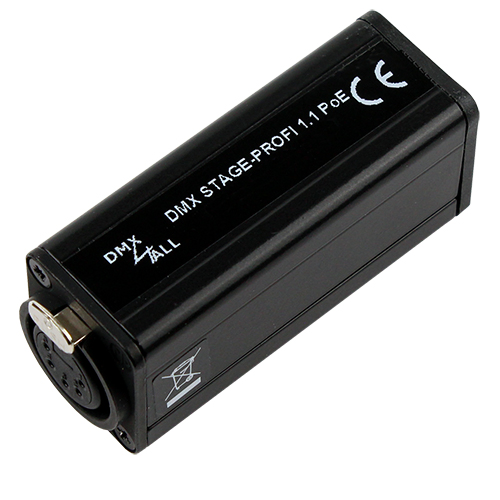
DMX STAGE-PROFI 1.1 PoE (XLR5)The DMX STAGE-PROFI 1.1 PoE is a compact bidirectional Ethernet Gateway (DMX via Ethernet), whichcan be used for Art-Net™ / TPM2 / USB to DMX / sACN to DMX / RDM or DMX to Art-Net™.Via a standard RJ45 net work connection the connection to ethernet net work occurs.Switchable DMX directionThe DMX direction can be switched according to usage.Settable DMX frame rateIn the DMX-OUTPUT mode the DMX frame rate is adjustable, so this interface is compatible to "slow" DMX devices.RDM via Art-Net™Supports RDM via Art-Net™ and thus enables connected PoE devices to be configured via Art-Net™ using corresponding software.Disengageable LED displayThe LED-Display at the DMX STAGE-PROFI 1.1 PoE is disengageable via Art-Net™-Command (AcLedMute)or time controlled. This is very helpful to avoid disturbing “light points” on stage.Easy Webbrowser-ConfigurationA user-friendly configuration via a web browser allows a fast and uncomplicated setting of all parameters.No special software is required, a normal web browser is sufficient. Thus, the configuration at any timefrom your PC, smartphone or tablet device.DMX-Monitor The DMX monitor is available via the web interface. This means that the current DMX valuescan be displayed and checked simultaneously without any additional software.DMX-Fader The DMX fader is available via the web interface. This allows the DMX values to be output to be set without additional software.RDM-Editor The internal RDM editor in the web interface allows you to view the RDM devicesand edit the parameters Device Name, DMX Start Address and Personality.Easy Network ConfigurationFor easy setting of the IP-address, we provide the IP Configurator as a PC tool or Android app available for free.This allows you to leave the network settings unchanged and can easily configure the IP.High quality and Compact DesignThe DMX STAGE-PROFI 1.1 PoE is designed with a 3-pin Neutrik-XLR-Connection metal design and cased in an aluminium housing.Art-Net™ Merge-FunctionTwo Art-Net™ sources are output by LTP (Latest) or HTP (Highest) combined to the DMX output.Combinable with WiFi componentsIn combination with a WLAN bridge the DMX STAGE-PROFI 1.1 PoE can also be integrated into WLAN net works.Firmware update functionTo use future functions the DMX STAGE-PROFI 1.1 PoE offers a Firmware-Update-Function.This can be started with any web browser, so no direct access to the device is necessary!DMX4ALL Communication-InterfaceThe DMX STAGE-PROFI 1.1 PoE has an additional communication interface using the DMX4ALL-Commands via TCP or UDP packages. Art-Net ™ Designed by and Copyright Artistic Licence Holdings Ltd. Specifications Power supply:PoE according to IEEE 802.af or 5V DC via attached external power supplyConnection:RJ45 Ethernet USB Mini-B Neutrik® XLR3 Ethernet:10 Mbit/s | 100 Mbit/s DHCP PoE DMX:Selectable: - 512 channels OUT - 512 channels IN DMX-Framerate:Adjustable (5 - 44 fps) RDM:RDM via Art-Net™ (switchable on/off) ArtDmx Fail:HOLD last data(DMX-OUT)CLEAR all to 0% SET all to 100% NO OUTPUT DEFAULT VALUES INTERNAL PROGRAM DMX Fail:HOLD last data(DMX-IN)CLEAR all to 0% SET all to 100% NO OUTPUT DEFAULT VALUES Protocol:Art-Net™ (downwards compatiblel) Ethernet-VCP (Virtual COM Port) USB-VCP (Virtual COM Port) TPM2 sACN (Unicast) DMX4ALL-Commands via TCP, UDP, VCP Internal programs:User-configurable stand-alone programs Status LED:Green: Ethernet Connection Yellow: Datatransfer Dimensions:75mm x 26mm x 35 mm Produkt DownloadsDMX STAGE-PROFI 1.1 PoEBedienungsanleitung DMX STAGE-PROFI 1.1 PoEUser Manual DMX STAGE-PROFI 1.1 PoEEthernet VCP Driver 32 & 64bit - Version 1.10 DMX STAGE-PROFI 1.1 PoEUSB VCP Driver 32 & 64bit - Version 42.0.1.0 DMX STAGE-PROFI 1.1 PoEFirmware Software & ToolsDMX4ALL Software PackDMX / RDM / IP ConfiguratorWindows 32 & 64bit DMX4ALL CommandsDMX4ALL Commands for Third-Party Developers
Delivery time: On stock (estimated 1 day)
+228 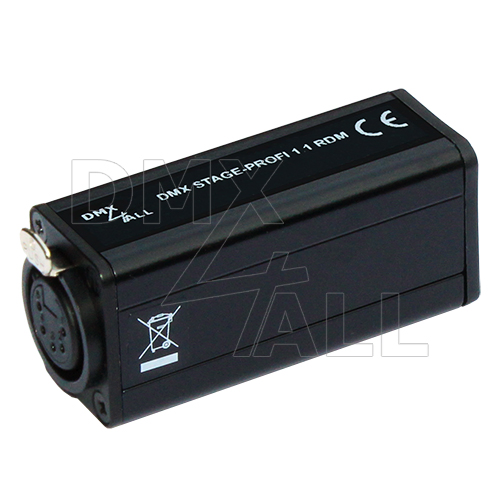
DMX STAGE-PROFI 1.1 RDM (XLR5)The DMX STAGE-PROFI 1.1 RDM is a compact bidirectional Ethernet Gateway (DMX via Ethernet), whichcan be used for Art-Net™ / TPM2 / USB to DMX / sACN to DMX / RDM or DMX to Art-Net™.Via a standard RJ45 net work connection the connection to ethernet net work occurs.Switchable DMX directionThe DMX direction can be switched according to usage.Settable DMX frame rateIn the DMX-OUTPUT mode the DMX frame rate is adjustable, so this interface is compatible to "slow" DMX devices.RDM via Art-Net™Supports RDM via Art-Net™ and thus enables connected RDM devices to be configured via Art-Net™ using corresponding software.Muteable LED displayThe LED-Display at the DMX STAGE-PROFI 1.1 RDM is disengageable via Art-Net™-Command (AcLedMute)or time controlled. This is very helpful to avoid disturbing “light points” on stage.DHCPThe DMX STAGE-PROFI 1.1 RDM has a DHCP function for automatic addressing in the network.Internal stand-alone programsThe internal programs make the DMX STAGE-PROFI 1.1 RDM a stand-alone device. The programs can be calledup via the web interface, when the device is switched on, or when Art-Net™ data is missing.Easy ConfigurationA user-friendly configuration via a web browser allows a fast and uncomplicated setting of all parameters.No special software is required, a normal web browser is sufficient. Thus, the configuration at any timefrom your PC, smartphone or tablet device.DMX-Monitor The DMX monitor is available via the web interface. This means that the current DMX valuescan be displayed and checked simultaneously without any additional software.DMX-Fader The DMX fader is available via the web interface. This allows the DMX values to be output to be set without additional software.RDM-Editor The internal RDM editor in the web interface allows you to view the RDM devicesand edit the parameters Device Name, DMX Start Address and Personality.Easy Network ConfigurationFor easy setting of the IP-address, we provide the IP Configurator as a PC tool or Android app available for free.This allows you to leave the network settings unchanged and can easily configure the IP.High quality and Compact DesignThe DMX STAGE-PROFI 1.1 RDM is designed with a 3-pin Neutrik-XLR-Connection metal design and cased in an aluminium housing.Art-Net™ Merge-FunctionTwo Art-Net™ sources are output by LTP (Latest) or HTP (Highest) combined to the DMX output.Combinable with WiFi componentsIn combination with a WLAN bridge the DMX STAGE-PROFI 1.1 RDM can also be integrated into WLAN net works.Firmware update functionTo use future functions the DMX STAGE-PROFI 1.1 RDM offers a Firmware-Update-Function.This can be started with any web browser, so no direct access to the device is necessary!DMX4ALL Communication-InterfaceThe DMX STAGE-PROFI 1.1 RDM has an additional communication interface using the DMX4ALL-Commands via TCP or UDP packages. Art-Net ™ Designed by and Copyright Artistic Licence Holdings Ltd.
Delivery time: On stock (estimated 1 day)
+310 
DMX UNIVERSE DR6 RDMThe DMX UNIVERSE DR6 RDM is an Ethernet to DMX gateway with up to 6 bidirectionalDMX universes (DMX over Ethernet) and RDM functionality.6 DMX portsThe DMX UNIVERSE DR6 RDM offers 6 bidirectional DMX ports to which the DMX/RDM devices can be connected.The individual DMX ports can be configured independently.Galvanically decoupled DMX connectionsAll 6 DMX connections are each designed with their own galvanic isolation.Art-Net™ to DMX / DMX to Art-Net™The DMX direction can be switched per DMX port, depending on the usage.Adjustable FAIL functionEach DMX port offers a configurable FAIL function. This specifies the behavior if DMX or ArtNet data is missing.Art-Net™ Merge-FunctionTwo Art-Net™ sources are output by LTP (Latest) or HTP (Highest) combined to the DMX output.RDM via Art-Net™Supports RDM via Art-Net™ and thus enables connected RDM devices to be configured via Art-Net™ using corresponding software.Synchronous DMX outputThe DMX output is synchronized by receiving ArtSync packets.RGB status displayThe RGB status display clearly shows the device status.Muteable LED displayThe LED-Display at the DMX UNIVERSE DR6 RDM is muteable via Art-Net™-Command (AcLedMute) ortime controlled. This is very helpful to avoid disturbing “light points” on stage.Easy Webbrowser-ConfigurationA user friendly configuration via web browser allows a fast and uncomplicated setting of all parameters.No special software is necessary, a standard web browser is enough. So, the configuration is possible anytime from PC, Smartphone or tablet.DMX-MonitorThe DMX monitor is available via the web interface. This means that the current DMX values can be displayedand checked simultaneously without any additional software.DMX-FaderThe DMX fader is available via the web interface. This allows the DMX values to be outputto be set without additional software.DHCPThe DMX UNIVERSE DR6 RDM has a DHCP function for automatic addressing in the network.Easy Network ConfigurationFor an easy setting of the IP we provide the IP-Configurator as PC-Tool or Android-App for free.The net work settings can be leaved unchanged and the IP can be configured without any problems.Combinable with WiFi componentsIn combination with a WLAN bridge the DMX UNIVERSE DR6 RDM can also be integrated into WLAN net works.Firmware update functionTo use future functions the DMX UNIVERSE DR6 RDM offers a Firmware-Update-Function.This can be started with any web browser, so no direct access to the device is necessary!DMX4ALL Communication-InterfaceThe DMX UNIVERSE DR6 RDM has an additional communication interface using the DMX4ALL-Commands via TCP or UDP packages.Top hat rail housing availableThe top-hat rail housing 1050 is available as accessory for the DMX UNIVERSE DR6 RDM and thereforeideally suited for switch cabinet installation. Art-Net ™ Designed by and Copyright Artistic Licence Holdings Ltd. Specifications Power supply:8-24V DC (150mA@12V; 100mA@24V) Connection:Ethernet: RJ45 Power: Screw terminal DMX: Screw terminal DMX:6 galvanically isolated ports each 512 channels OUT or 512 channels IN RDM:RDM via Art-Net™ Data Fail:HOLD last data(DMX-OUT)CLEAR all to 0% SET all to 100% NO OUTPUT DMX-IN Fail:HOLD last data(DMX-IN)CLEAR all to 0% SET all to 100% NO OUTPUT Protocol:Art-Net™ sACN (Unicast) DMX4ALL Commands Status LED:Ethernet-Status (Green / Yellow) Device-Status (RGB) Dimensions:99mm x 82mm Product DownloadsDMX UNIVERSE DR6 RDMBedienungsanleitung DMX UNIVERSE DR6 RDMUser Manual DMX UNIVERSE DR6 RDMFirmware DMX4ALL CommandsDMX4ALL Commands for Third-Party Developers Software & ToolsDMX-Configurator V2Windows 32 & 64bit DMX-Configurator V2Bedienungsanleitung DMX-Configurator V2User Manual IP Configurator (ArtNet Produkte)Windows 32 & 64bit IP ConfiguratorAnwendungshinweis IP ConfiguratorApplication Note RDM Configurator (ArtNet Produkte)Windows 32 & 64bit RDM ConfiguratorBedienungsanleitung RDM ConfiguratorUser Manual
Delivery time: On stock (estimated 1 day)
+408 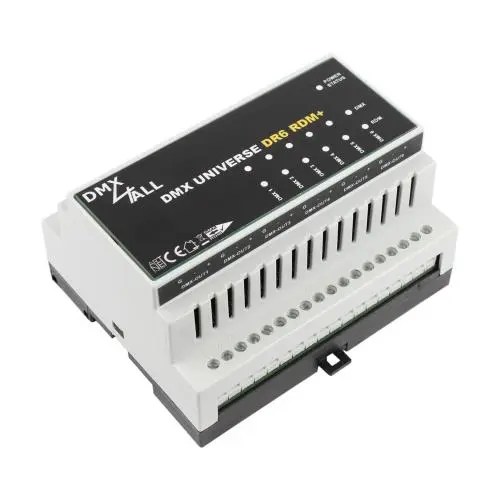
DMX UNIVERSE DR6 RDM+The DMX UNIVERSE DR6 RDM+ is an Ethernet to DMX gateway with up to 6 bidirectionalDMX universes (DMX over Ethernet) and RDM functionality.6 DMX portsThe DMX UNIVERSE DR6 RDM+ offers 6 bidirectional DMX ports to which the DMX/RDM devices can be connected.The individual DMX ports can be configured independently.Galvanically decoupled DMX connectionsAll 6 DMX connections are each designed with their own galvanic isolation.Art-Net™ to DMX / DMX to Art-Net™The DMX direction can be switched per DMX port, depending on the usage.Adjustable FAIL functionEach DMX port offers a configurable FAIL function. This specifies the behavior if DMX or ArtNet data is missing.Art-Net™ Merge-FunctionTwo Art-Net™ sources are output by LTP (Latest) or HTP (Highest) combined to the DMX output.RDM via Art-Net™Supports RDM via Art-Net™ and thus enables connected RDM devices to be configured via Art-Net™ using corresponding software.Synchronous DMX outputThe DMX output is synchronized by receiving ArtSync packets.RGB status displayThe RGB status display clearly shows the device status.RGB status display for DMX and RDMFor each DMX port, the DMX and RDM status is clearly displayed using RGB displays.Muteable LED displayThe LED-Display at the DMX UNIVERSE DR6 RDM+ is muteable via Art-Net™-Command (AcLedMute) ortime controlled. This is very helpful to avoid disturbing “light points” on stage.Easy Webbrowser-ConfigurationA user friendly configuration via web browser allows a fast and uncomplicated setting of all parameters.No special software is necessary, a standard web browser is enough. So, the configuration is possible anytime from PC, Smartphone or tablet.DMX-MonitorThe DMX monitor is available via the web interface. This means that the current DMX values can be displayedand checked simultaneously without any additional software.DMX-FaderThe DMX fader is available via the web interface. This allows the DMX values to be outputto be set without additional software.DHCPThe DMX UNIVERSE DR6 RDM+ has a DHCP function for automatic addressing in the network.Easy Network ConfigurationFor an easy setting of the IP we provide the IP-Configurator as PC-Tool or Android-App for free.The net work settings can be leaved unchanged and the IP can be configured without any problems.Combinable with WiFi componentsIn combination with a WLAN bridge the DMX UNIVERSE DR6 RDM+ can also be integrated into WLAN net works.Firmware update functionTo use future functions the DMX UNIVERSE DR6 RDM+ offers a Firmware-Update-Function.This can be started with any web browser, so no direct access to the device is necessary!DMX4ALL Communication-InterfaceThe DMX UNIVERSE DR6 RDM+ has an additional communication interface using the DMX4ALL-Commands via TCP or UDP packages.For DIN Rail MountingThe design in a DIN rail housing with a width of 10.5cm / 6TE makes it easy to install in a control cabinet. Art-Net ™ Designed by and Copyright Artistic Licence Holdings Ltd. Specifications Power supply:8-24V DC (150mA@12V; 100mA@24V) Connection:Ethernet: RJ45 Power: Screw terminal DMX: Screw terminal DMX:6 galvanically isolated ports each 512 channels OUT or 512 channels IN RDM:RDM via Art-Net™ Data Fail:HOLD last data(DMX-OUT)CLEAR all to 0% SET all to 100% NO OUTPUT DMX-IN Fail:HOLD last data(DMX-IN)CLEAR all to 0% SET all to 100% NO OUTPUT Protocol:Art-Net™ sACN (Unicast) DMX4ALL Commands Status LED:Ethernet-Status (Green / Yellow) Device-Status (1x RGB) DMX-Status (6x RGB) RDM-Status (6x RGB) Dimensions:105mm x 90mm x 60mm Product DownloadsDMX UNIVERSE DR6 RDM+Bedienungsanleitung DMX UNIVERSE DR6 RDM+User Manual DMX UNIVERSE DR6 RDM+Firmware DMX4ALL CommandsDMX4ALL Commands for Third-Party Developers Software & ToolsDMX-Configurator V2Windows 32 & 64bit DMX-Configurator V2Bedienungsanleitung DMX-Configurator V2User Manual IP Configurator (ArtNet Produkte)Windows 32 & 64bit IP ConfiguratorAnwendungshinweis IP ConfiguratorApplication Note RDM Configurator (ArtNet Produkte)Windows 32 & 64bit RDM ConfiguratorBedienungsanleitung RDM ConfiguratorUser Manual
Delivery time: On stock (estimated 1 day)